
How I log every trip: 164 trips on Polarsteps
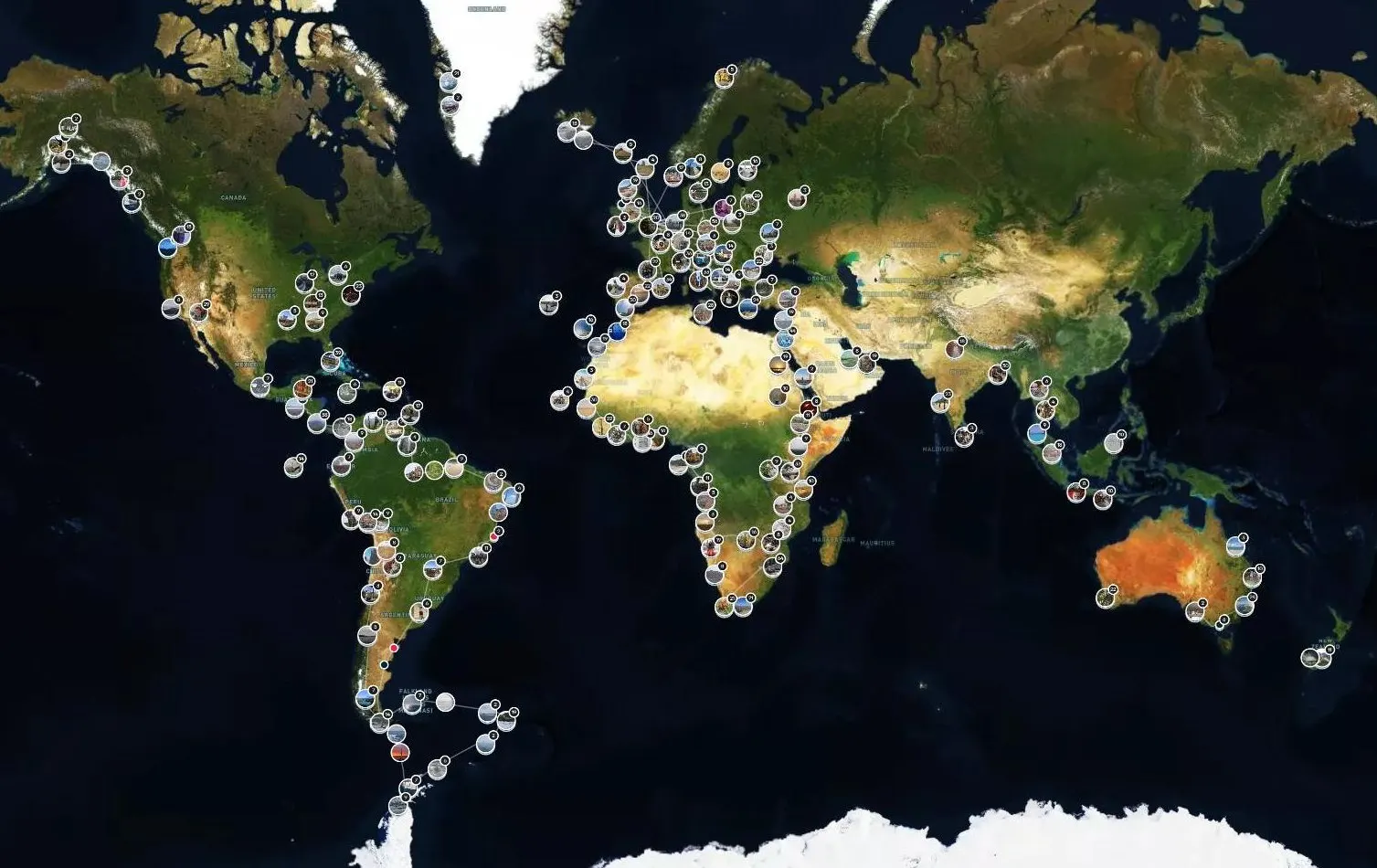
I'm a bit obsessed with numbers. Countries, marathons, miles. So when I found an app that counts the lot for me while I'm busy getting lost somewhere, I was always going to get hooked.
I started using Polarsteps in 2018, just before I set off overlanding through West Africa. Before that it was spreadsheets. Years of them. Being a bit of a geek about organising my photos helped too: everything's filed by date, going back forever.
So I used both to piece together every trip I'd ever done and get them into the app. On an overland truck you've got hours to kill between campsites, so that's where most of it went in. Now every trip goes on it, from a weekend in Gdańsk to a month in Antarctica.
My numbers so far
This is what Polarsteps says I've done, as of November 2026:
| Continents | All seven, Antarctica included |
| Trips | 164 |
| Days away | 1,884 |
| Distance | 1,241,557 km |
| Steps (posts with photos) | 2,357 |
| Furthest from home | Christchurch, New Zealand, 18,922 km |
The map at the top is mine: every pin is a place I've been. (Map © Mapbox, © OpenStreetMap, © Maxar.)
The big ones are the overland trips. Six months through South America in 2015 and 2016, 157 days down West Africa from November 2018, then another 135 days through East Africa in 2019. The West Africa trip alone has 176 steps on it. At the other end you've got the weekend breaks: Gdańsk, Poznań, Bremen, Valencia, a quick 3 days in Berlin for the marathon.
How I actually use it
I leave tracking on all the time, set to balanced mode so it doesn't kill my battery. Then when I'm somewhere worth remembering, I drop a pin and save it as a draft. That marks the exact spot there and then, and I add the photos and the words later, usually when I've got a beer in hand and five minutes to spare.
It means I'm not stood on a mountain typing out an essay on my phone. Pin it, put the phone away, crack on.
As soon as a trip's booked, it goes in the app so it's there waiting, but I don't plan it in any depth in there. The planning happens in my head and a few dozen browser tabs. Polarsteps is for what actually happens.
The bit I use it for most
The map. I love being able to zoom straight into any place in the world and see exactly what I did there: the route, the pins, the photos. Pick a dot in Tanzania or Tunisia and it all comes back.
The stats are a nice touch too, and I'm always going back to old trips. Someone tells me they're off to Lisbon or Kampala, and I'm straight on the app to remind myself where I went and what I'd recommend. I'd be lost without it.
How to set it up
- Download the app. It's free on iPhone and Android.
- Create a trip. Give it a name and a start date. You can add trips that have already happened too, which is how I got my old ones in.
- Turn on tracking. It follows your route in the background and draws it on the map, so you don't have to remember to do anything. I use balanced mode, which saves battery.
- Add steps as you go. A step is a pin with photos and a few words. TOP TIP: drop the pin and save it as a draft while you're there, so the location's right, then fill in the photos and words later.
- Pick your privacy. You can keep a trip to yourself, share it with followers, or make it public. TOP TIP: if you don't want the world knowing your house is empty for a fortnight, keep it to followers or just you while you're away.
- Print it. When you're home, you can turn a trip into a Travel Book, a proper printed book of your route, photos and notes. I've never actually ordered one, but with 164 trips on there it's next on my list. Antarctica first, probably.
Why I bother
Simple: I can always remember a trip. Where I went, what I did, and in what order. With 164 trips and counting, my memory isn't up to that on its own, and a spreadsheet never told me much more than a country and a date.
It's also how my travel mates keep up with what I'm doing. The people I've met on the road can follow along and see where I am, without me posting every day of it on social media for the whole world to see while I'm away. Mates get the live version, everyone else gets the blog when I'm home.
The whole family's on it too, so we all know where each other is and what we're up to. No more "where are you this week?" messages.
I'd rather be out exploring than on my phone, and the good thing is it mostly runs on its own. Five minutes in the evening and the whole trip is there for good.
Download it before your next trip, even if it's just a weekend away. You'll be surprised how quickly the map fills up.



Over to you
Do you keep a record of your trips? Tell me how in the comments, or ask me anything about setting up Polarsteps.